















Application developers build Gantt applications over Header Detail tables. The Header Detail application built over that table provides the records for the Gantt application.
Gantt applications are useful for business processes which require scheduling, such as Manufacturing.
For example, Manufacturing uses Gantt applications to show work orders and the expected time to complete them. Each work order is a header record in the underlying table, while the associated detail records make up the individual tasks or components.
Expand a header record to view the detail records nested beneath it, and to show the detail records in the visualization. Each record is represented by a bar in the visualization and shows the start date, duration, and end date of the event or task. The header record provides a summary of the detail records beneath it, and will show the earliest start date and latest end date of the combined detail records beneath it. Some Gantt applications also contain additional display fields that provide information such as what type of event or task was completed.
The diagram below represents a Gantt application:
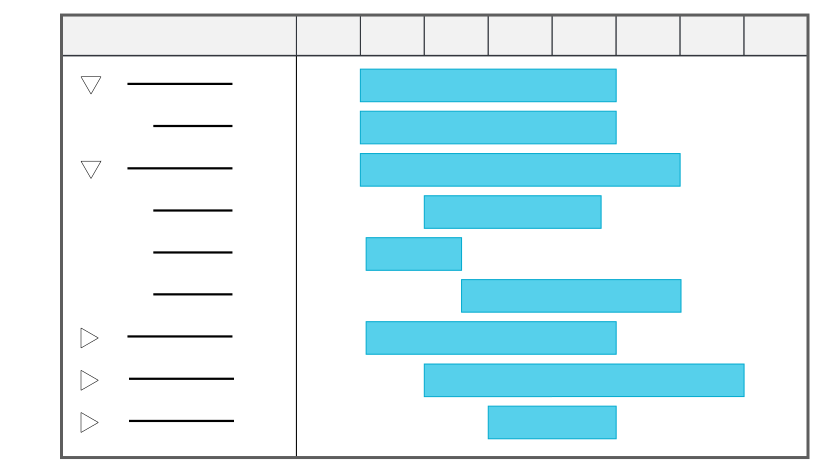
Learn more in Gantt application configuration.
Styles
Gantt applications can be configured in several styles, such as:
Standard—Displays the Gantt application's record list and visualization.Mini App—Displays a mini application over another application. You can view the Gantt application without the underlying application closing. A mini app can be opened from the Navigation menu or through an application action.
Gantt application configuration
Configure Gantt applications with the Data Item Definitions, Table Definitions, and Application Builder applications.
Prerequisites
Gantt applications can only be built over existing Header Detail tables. To build your Gantt application, you must already have your Header Detail tables and applications created. Learn more in Header Detail application configuration.
Application Builder
In the Application Builder application, select Create and then Existing Table in the Create Application window. Enter the name of the Header Detail table you want to build the application over, then select the Application Style. Options include:
StandardMini App
Select the List Form in the Configuration panel, then in the Viewer panel, define the Task Name and Start Date Field. Select either an End Date Field or Duration.
By default, Gantt applications are read-only. You can optionally configure an event action and application link to allow edits from the Gantt application. To configure, in the Configuration panel, select the following options:
- Application Links—Configure an application link that allows you to update the appropriate records. For example, you could create a work table and application then use a logic block to update the underlying Header Detail table.
- Event Actions—Reference the name of your application link, the same Table Name from your application link, and the Event type of Gantt Double Click.
Application Setting Definitions
Optionally, use an application setting to filter out unnecessary records.
Learn more in Gantt application.