

Sales order creation from uploaded POs
Problem
Sales teams receive customer purchase orders as documents rather than structured data, so someone has to manually key each PO into a sales order. That manual entry is slow and introduces errors in the sales orders it feeds. Errors compound downstream since sales orders drive pricing, fulfillment, and revenue recognition.
Solution
An IDP-driven application reads incoming customer purchase order documents and extracts the data needed to create a sales order, regardless of the PO's layout or format. Users upload one or many documents in a variety of formats, and the system creates the sales order directly with the extracted values applied, flagging any fields that need attention rather than requiring a full manual review of every line. Pricing on the resulting sales order lines is determined through configured rules rather than pulled directly from the PO, so the price a customer negotiated stays consistent even if their PO lists something different.
At a glance
Vertical
Manufacturing
Distribution
Retail & Sales
Logistics
Used By
Sales
Operations
Customer Support
Building Blocks

Custom Applications

Large Language Models
Logic Blocks
Decisions

Human-in-the-Loop

Building Blocks
This solution was built using these Nextworld features
Custom Applications
The Sales Order IDP App provides a create action that lets users select and upload one or many purchase order documents at once, in formats including PDF and CSV.
Large Language Models
A vision-language model reads each customer purchase order as an image and extracts the fields needed for a sales order, regardless of layout or format.
Logic Blocks
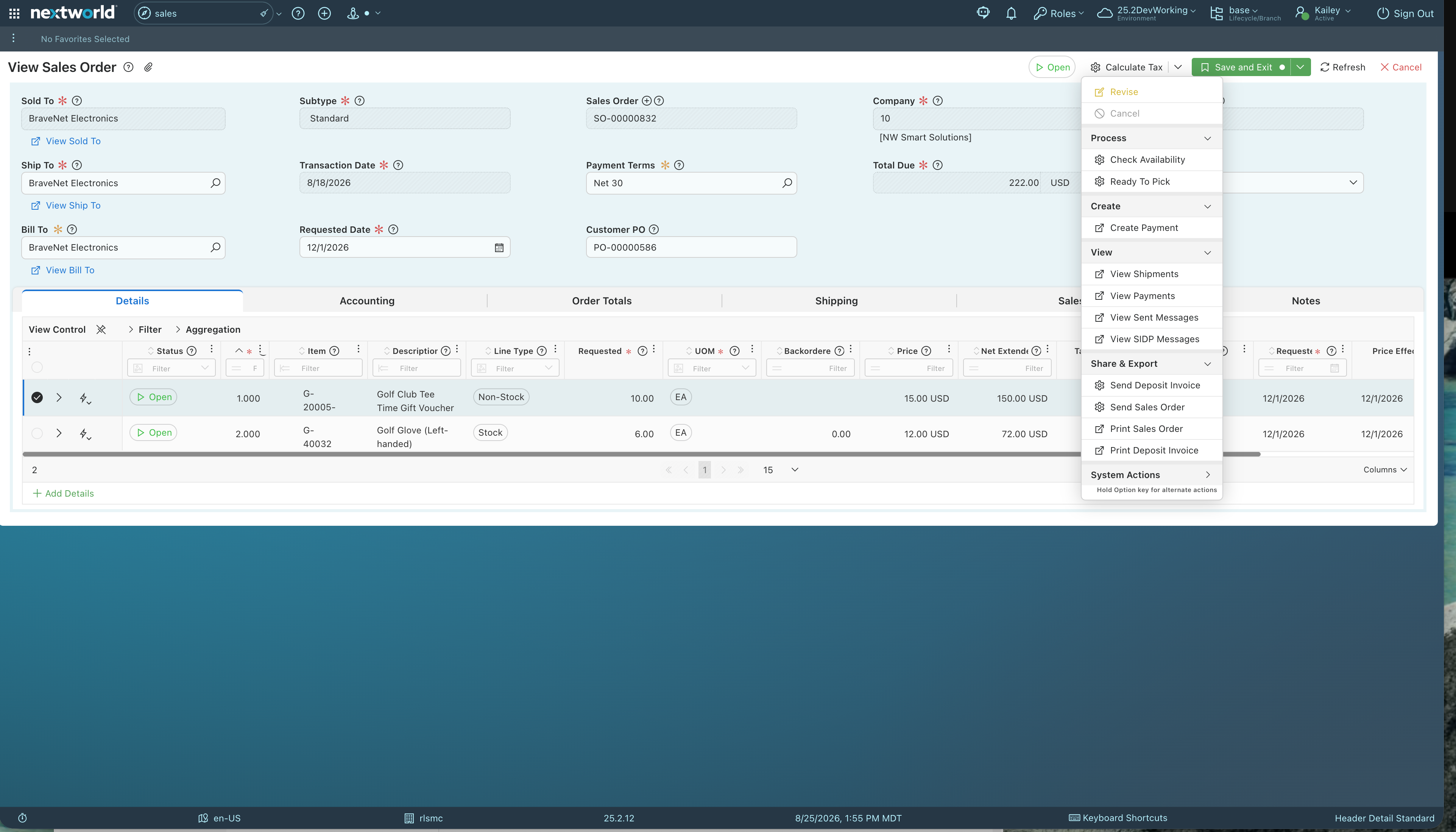
Validates extracted data against the customer and item records already in Nextworld and creates the sales order in an initial status, with the extracted values applied directly to the record.
Decisions
Determines sales line pricing based on configured rules rather than the price stated on the incoming PO.
Human-in-the-Loop
The created sales order surfaces with any validation issues highlighted, so the user's attention goes straight to what needs resolving rather than a line-by-line recheck of the whole order.







Powering the teams behind modern operations
What will you build with Nextworld?
Bring us the process that costs you the most, and we’ll show you how it runs on an ERP you grow into, not out of.
